
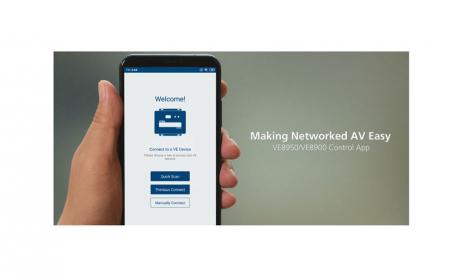
Aten VE8900/VE8950 Control App – Mobile App


Product Description
Collaboration with ATEN Control System
• Integrated solution – Compatible with ATEN Control System, allowing users to directly operate VE8900/VE8950/VE8952 via CLI Telnet, RS-232 protocol, or Mobile Control App
• Effortless operation – One click to effectively operate VE Manager, TV, projector, source player, and related equipments via touch panel and keypad.
Spontaneous Scheduling Management
• Offers an user-friendly scheduling management function for users to pre-plan the display schedule
• Provides robust and intuitive scheduling management options to help users to manage all events in the calendar to as detailed as to setting events to minute intervals
• Integrates all VE89 units to arrange the profi le by grouping individual receiver or video wall
• Multiple profi les can be arranged to play in any order over a selected period of time
No Complicated IP Setup
• Simple configuration that requires no extensive IT experience or extra learning
• Effortlessly switches among input sources via top panel pushbuttons
Web GUI-Based Management, No Additional Server PCs or Software Required
• Simple Access – Without typing IP address on Chrome browser, users are allowed to directly link to VE Manager via one click on “Find My VE” Chrome based free tool
Go Further For Less with Daisy Chaining*
• Connects multiple displays through a single port to utilize every port of the network switch and maximize their value
• Easily expandable – cabling and system deployment is easy with no huge network switches and fewer cables needed
• Perfect for large-scale deployment covering hundreds of meters, such as hotel facilities, airports, university campuses, stations, shopping malls, and exhibition centers
Note:
1. Depending on your network architecture, we recommend daisy chaining up to 30 units.
2. VE8952 does not support PoE in daisy chain architecture.
Key Features
- Simple Login – auto search for devices and tap any transmitter to log in
- Monitor – check the status of receivers and all your digital signage content
- Preview – preview video sources before switching
- Control – switch a source to multiple receivers instantly
- Calendar-based Scheduling – check and revise the display schedule on the go
- Firmware Update Reminder – keeps you posted about the latest updates
Product Code
Product Name
Add to Basket