
Kinan LC1808 / LC1816 / LC1824 / LC1832 - 8/16/24/32-Port 18.5” Cat5 LCD KVM Switch


Product Description
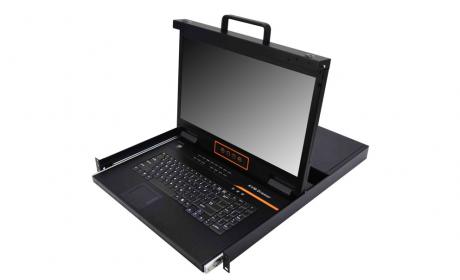
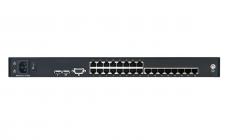
The KVM console integrates multiple-port CAT5 KVM switches in a 1U height console. Multiple computers can be controlled from the single monitor-keyboard-mouse console.
There is no better way to save time and money than with a CAT5 console installation. By using the CAT5 console with its sliding console to manage your installation, you will gain below benefits:
(1) eliminate the expense of purchasing separate keyboards, monitors and mice;
(2) save all the space those extra components would take up;
(3) save space that a keyboard, monitor and mouse would take with a standard KVM switch;
(4) save on energy costs; and
(5) eliminate the inconvenience and wasted effort involved in constantly having to move from on computer to another.
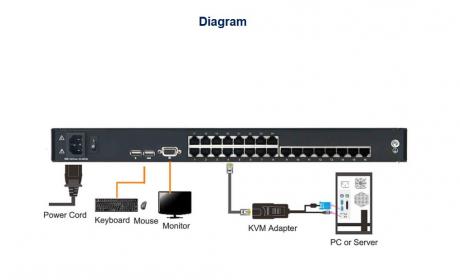
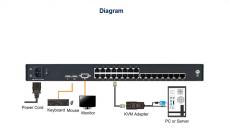
It is easy and fast to install the CAT5 KVM console; you just need to connect corresponding cables to the right ports of the CAT5 KVM and its module without software configuration.
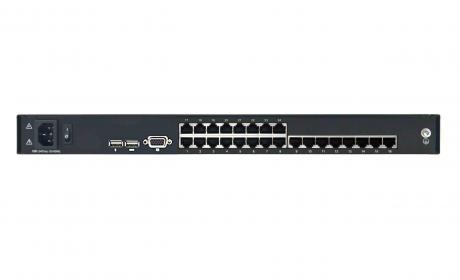
KVM Console can connect multiple computers with RJ-45 connector and CAT5 connecting cables. Transmission distance is up to 100M, so it doesn’t need a KVM extender
Key Features
- Integrated KVM switch with LCD monitor, keyboard/touchpad in a 1U height console
- Standard Cat5 connection-Connect to a server or computer via standard RJ-45 connectors and Cat5e/6 cables
- LCD module can be opened up to 108 degrees to provide a comfortable viewing angle
- Support computers with USB and PS/2 keyboard and mouse
- By cascading up to another 31 switches, as many as 256/512/768/1024 servers can be controlled from a single console.
- 18.5" TFT LCD monitor with highlight, high definition and high resolution
- Optimum resolution is up to 1366×768@60Hz
- Touchpad with scroll wheel - Eliminates the need for a separate, external mouse
- Supports one administrator and four user accounts with a separate profile for each.
Product Code
Product Name
Add to Basket
Related Products
Kinan CW1708 / CW1716 / CW1724 / CW1732 - 17.3" 8/16/24/32-Port Short Depth Cat5 LCD KVM Switch
8/16/24/32-Port Short Depth Cat5 LCD KVM Switch
View product